Course regulations, grading criteria, mini-projects, final project specification, and recommended development environments.
Author: Dr. Mariusz Trzaska•PJWSTK / PJATK Warsaw
Justification
Modern programming languages are largely based on the object-oriented paradigm. Therefore, a practical understanding of this paradigm is essential for anyone working in this field. Additionally, programmers frequently develop systems based on analytical materials, which often employ object-oriented graphical notations, such as UML. In this lesson and the next, you will deepen your theoretical knowledge, but more importantly, you will learn how to implement various object-oriented concepts. This will enable you to design and develop modern business applications effectively.
Introduction
This course focuses on embedding the conceptual model of a problem domain - the result of the analysis phase - and the specification requirements into a specific implementation environment, both object-oriented and relational. Students will learn how to construct the necessary structures to represent the model, including those not natively supported by a programming language. Topics related to usability, including testing of graphical user interfaces, are also covered.
Theoretical knowledge is reinforced through practical implementation of data structures, business logic, and both simple and advanced graphical user interfaces (e.g., using dedicated editors). Each student is expected to carry out dynamic analysis, design, and implementation work based on individual user requirements. Specification requirements and static analysis are addressed during the Information Systems Design (PRI) course. Additionally, students entering the MAS course are expected to have proficiency in an object-oriented programming language, with Java as the default.
Mini-projects
The purpose of the mini projects is to practically verify students’ understanding of how to implement specific constructs from the conceptual model (such as classes, associations, extents, etc.) and their interaction with the relational model. Additionally, they can serve as a “foundation” for the final project, which will later be expanded with additional elements, including a graphical user interface (GUI).
Students are expected to implement various business-oriented constructs (technical details such as the number of objects in an extent, setters/getters, or object display do not apply) present in the conceptual model. Each mini project must be implemented as a console application.
Students must propose their own business cases for the mini projects; examples from lectures, books, or other sources are not allowed.
It is possible to submit mini projects at later sessions, but doing so will result in a 50% reduction in points.
Elements of the mini projects subject to evaluation include:
MP1
Classes, attributes
MP2
Associations
MP3
Inheritance
MP4
Relational model (RM)
the extent
Extent - persistency
Complex attribute
Optional attribute
Multi-valued attribute
Class attribute
Derived attribute
Class method
Override
Overload
Binary
With attribute
Qualified
Composition
Each of the associations requires at least 1-* cardinality and automatic reverse connection.
Disjoint
Abstract
Polymorphic method call
Overlapping
Multi inheritance
Multi aspect
Dynamic
RM - classes
RM - association (1:* or *:* cardinalities)
RM - inheritance
You are required to create a working program that uses a database and implements the above constructs. You must use an ORM (Object-Relational Mapping) tool, such as Hibernate or Entity Framework. The archive should contain only source files (no binaries/libraries) optionally including mappings (for ORMs). Do not forget about relevant examples.
Mini-projects are a vital part of the final grade. Therefore, they should be created with a proper care. The MPx are delivered as a 7z/ZIP/RAR archive containing (a simple console application):
source codes with comments (describing implemented constructs, API and individual implementation steps). Please follow the guidelines for your platform, eg. Java requires separate files for each public class. You do not need to include
binary files (libraries, images, etc);
among others, a single class (file) Main.java (main.cs, etc.) with the main method with commented examples showing how to use a particular construct, e.g.:
Java
person1.setAddress(address2);// complex attribute
Only commented items presented in the method will be evaluated. Projects without this class will not be evaluated;
The archive file (MPx_LastName_FirstName_Number.zip where x is the mini-project number) should be placed in the appropriate EDUX folder. The deadline - see below.
The final project
The project consists of two parts: a documentation part and an implementation part. The topic should be chosen so that it allows for the creation of a sufficient number of meaningful business classes (typically 12–15). Therefore, tool-based applications, system utilities, media players, and similar types of software are generally not suitable. If you are unsure about your topic, you should consult the course instructor.
Documentation
The documentation may, but does not have to, be based on a project from the PRI course.
The project should be grounded in user requirements described as enumeration “user stories.”
Based on these requirements, you should develop: Functional requirements (represented as use case diagrams and optionally in textual form), Non-functional requirements (presented in some kind of enumeration).
A key component of the requirements is the analytical class diagram. Since it serves as the foundation for further work, it is essential that it is error-free. Without a correct analytical class diagram, it is impossible to prepare a proper design (implementation) class diagram.
At least one non-trivial use case (which references another use case) must be discussed in detail. The scenario for this use case should be described both in natural language and using activity diagrams.
User interface design: Based on the selected non-trivial use case, a user interface design should be created following the guidelines presented in the lectures.
Dynamic analysis: For the selected use case, perform dynamic analysis using activity diagrams and state diagrams. This analysis should conclude with an explicit discussion of its implications. The results of the dynamic analysis (e.g., new attributes, new associations) must be reflected in the implementation (design) class diagram. The project must utilize all the types of diagrams mentioned above.
Include elements that specify design and implementation decisions, illustrated with examples from the relevant diagrams (e.g., how class extents or inheritance are implemented).
Based on the analytical class diagram, an implementation (design) class diagram is created. It may include only elements derived from the analytical diagram and should:
Be detailed and fully specified.
Replace any constructs that do not exist in the chosen programming language according to the design decisions made.
Optionally include methods resulting from the dynamic analysis.
The entire documentation, and especially the diagrams, must be clear and readable. It is recommended to use a vector format (e.g., Enhanced Metafile) or a lossless compression format (e.g., PNG). To ensure clarity, pay attention to the following:
Correct use of UML notation (do not use “similar” graphical elements).
Every diagram must be properly labeled.
Diagrams should be prepared using an appropriate tool (e.g., UMLet).
Font sizes on diagrams should be readable without excessive zooming (a diagram at 100% zoom should be legible; if necessary, increase the font size rather than the entire diagram).
Diagrams should not be split into multiple parts.
Elements (e.g., classes) must be properly arranged, e.g.:
inheritances vertically,
associations horizontally,
avoid crossing lines,
associations should include names and multiplicities.
Note: Projects containing unreadable diagrams will not be evaluated.
A prepared guide can be helpful in creating readable diagrams.
The content of diagrams should not be duplicated in textual form, e.g., by providing a verbal description of the classes, their attributes, and their relationships. Such submissions will not be evaluated.
The project documentation should include the following elements:
User requirements (“user story”)
Use case diagrams (functional requirements)
Non-functional requirements
Analytical class diagram
Design (implementation) class diagram
Use case scenario (as an enumeration)
Activity diagram for the use case
State diagram for a class
GUI design
Discussion of design decisions and the results of dynamic analysis
The absolute maximum length of the documentation is 25 A4 pages. Submissions exceeding this limit will not be evaluated.
Documentation should be delivered in a single PDF file ("MAS_Group_Lastname_Firstname_StudentNo.pdf") to a dedicated folder of the Gakko/EduX system. Deadline - see the attached schedule.
Implementation of the final project
The complete structure, including all classes with appropriate associations, inheritance, etc.
Methods required to implement the selected use case(s).
Graphical user interface (GUI) elements necessary to demonstrate a working implementation of the selected use case. Every project must include a GUI.
The minimum GUI implementation must allow interaction between at least two classes connected by an association (target multiplicity: “many”).
a. For example, if the diagram shows two classes connected by an association, e.g., Company and Employee, the GUI should include: a widget displaying multiple items (e.g., a ListBox) showing the list of companies; when a company is selected, another widget (also displaying multiple items, e.g. ListBox) shows the list of its employees, retrieved through the defined association (this generally means no use of query languages, including SQL).
b. A GUI that only creates connections between objects but does not allow the above interaction is insufficient for passing the project.
c. Similarly, solutions with only one widget, a single TextBox, a target multiplicity of “,” or filtering data from the extent instead of using the predefined association are also insufficient.
The implementation must include sample data that demonstrates correct functionality of the application.
Pay attention to the quality, ergonomics, and usability of the GUI (e.g., window scaling, color scheme, interaction design). This is an important component of the final grade. GUI design and implementation (using dedicated editors if desired) should follow usability principles presented in the lectures.
All data stored in the system must be persistent (e.g., using a file, database, or dedicated library). Ensure the chosen technology is appropriate (e.g., serialization is not suitable for web applications) and correctly implemented (e.g., serialization requires a single shared file for all extents).
Avoid including obvious comments describing the source code.
Each project will be individually reviewed. During the defense, students can expect detailed questions about the implementation (source code), such as: “What would happen if…?”, “Why was this done this way…?”, “Please make the following modification…”. Students who have completed the project independently should have no difficulty answering these questions. Failure to answer these questions will result in not passing the course.
Solutions that do not meet the above conditions will not pass the exercises.
Due to the anti-plagiarism procedure (see below), the project implementation (source codes only) must be uploaded to the designated folder in the Gakko/EduX system before the individual defense. The file should be named as follows: “ProjectImpl_LastName_FirstName_Number.zip”.
Solutions that do not meet the above conditions will not pass the exercises.
Evaluation criteria and deadlines: see below.
Deadlines
Detailed information regarding deadlines is provided in the course description. Late submissions will receive a reduced score, with mini-projects graded at 50% if submitted past the deadline.
Passing the tutorials
Note: According to the "blended studies" regulations, passing the tutorials depends on the exam results - see the "Exam" section.
The final grade of the tutorials consists of the following components:
Points for MPx (24 + 24 + 24 + 28 = 100 pts.; required minimum: 50% of the total points;)
For each of the items listed in the table for each MP, you can get the number of points calculated from the formula: (Number of points for a particular MP) / (Number of constructs), eg. MP1 for each construction can be obtained 24/10
= 2.4 points (total: 10 x 2.4 points = 24 points)
The number of granted points for each issue will be determined based on the correctnes, quality, completness, selected approach and readability of the code.
Evaluation of the project (it is required to get at least 50% from each part):
The evaluation for implementation will be issued according to the following table (prerequisite: fulfillment of the requirements in section 4.2):
Criterion
Maximum points
Complexity, scope and correctness of the implemented functionality
20
Scope and correctness of the implemented object-oriented structures
25
Code quality (names, comments, JavaDoc, etc.)
5
Elegance of the implemented solutions
15
Persistency
10
GUI implementation (including usability)
20
Project presentation
5
Total
100
Based on the above scoring, an assessment is calculated: 50 pts. → 3,0; 60 pts.→ 3,5; 70 pts → 4,0; 80 pts → 4,5; 90 pts → 5,0.
The assessment for the documentation will be issued in accordance with the following table (prerequisite: meeting the requirements from 4.1):
Criterion
Maximum points
Scope of the business field
10
Documentation of the use case (scenario and diagrams)
10
Correctness and completness of the design class diagram
35
Correctness and completness of the activity diagram
10
Correctness and completness of the state diagram
10
Design of the GUI
10
Discussion of the design decisions
10
Readability and organization of the document
5
Total
100
Based on the above scoring, an assessment is calculated: 50 pts. → 3,0; 60 pts.→ 3,5; 70 pts → 4,0; 80 pts → 4,5; 90 pts → 5,0.
You must receive a positive grade from each part. Therefore, people who, for example, pass mini-projects and do not complete the project documentation, will not pass the classes.
In addition, you can earn 5% of the total points for solving each of the tasks given in the lectures. These bonus points are added to the total number of points only if you have at least 50% points.
Plagiarism
All submitted source codes (mini-projects, final project) will undergo anti-plagiarism procedure. If borrowings from other programs are detected:
all programs where common code was detected receive 0 points;
it is not possible to send a corrected version of such a program, which may lead to failing the tutorials without a chance to correct them in the current semester;
no determination will be made to investigate who copied the source codes from whom.
The final exam
The MAS exam consists of two parts (the sum of points counts):
Test. You should rate each question (Y/N). The correct answer is +2 points, wrong -2 points, no answer 0 points;
Assignment. Describe and briefly discuss how to implement selected constructs in the given class diagram.
Note: in accordance with the regulations of the “blended” study programme, to pass the tutorials one must obtain at least 30% of the points in the exam (in the first or second sitting). Those who do not reach this threshold must repeat the tutorials. This “30%” rule does not apply to students who passed the tutorials in one of the previous semesters and are only retaking the exam in the current semester.
These sample programming tasks are only intended to guide programming material (learned during previous courses) and their solutions will not be assessed as
part of the subject MAS (Modeling and Analysis of Information Systems). Students entering the MAS course should be able to solve the vast majority of the tasks.
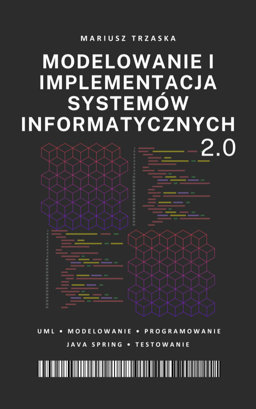
Book (Polish only): M. Trzaska: „Modelowanie i implementacja systemów informatycznych 2.0”. Year 2025. Pages 487. ISBN 978-83-976.4K-0-5. This is a completely new edition of the book (published in 2025), updated and expanded with new topics (over 200 additional pages). It can be useful both as a supplement to knowledge of modeling (e.g., class diagrams) and as an extension of programming skills (e.g., the Java Spring framework in various configurations, end-to-end and integration testing, and software maintenance):
electronic version in ePub (e.g. Kindle readers) and PDF formats is available in the following online bookstores: eBookPoint, Helion, Empik,
All books related to conceptual modeling (based on UML) - the corresponding list can be found in the description of the PRI
Programming books (e.g. for Java or C#).
Implementation tools
Due to the fact that there is quite a large choice of technology for project implementation, there is no mandatory tool list. However, below is a list of tools that may be useful: